



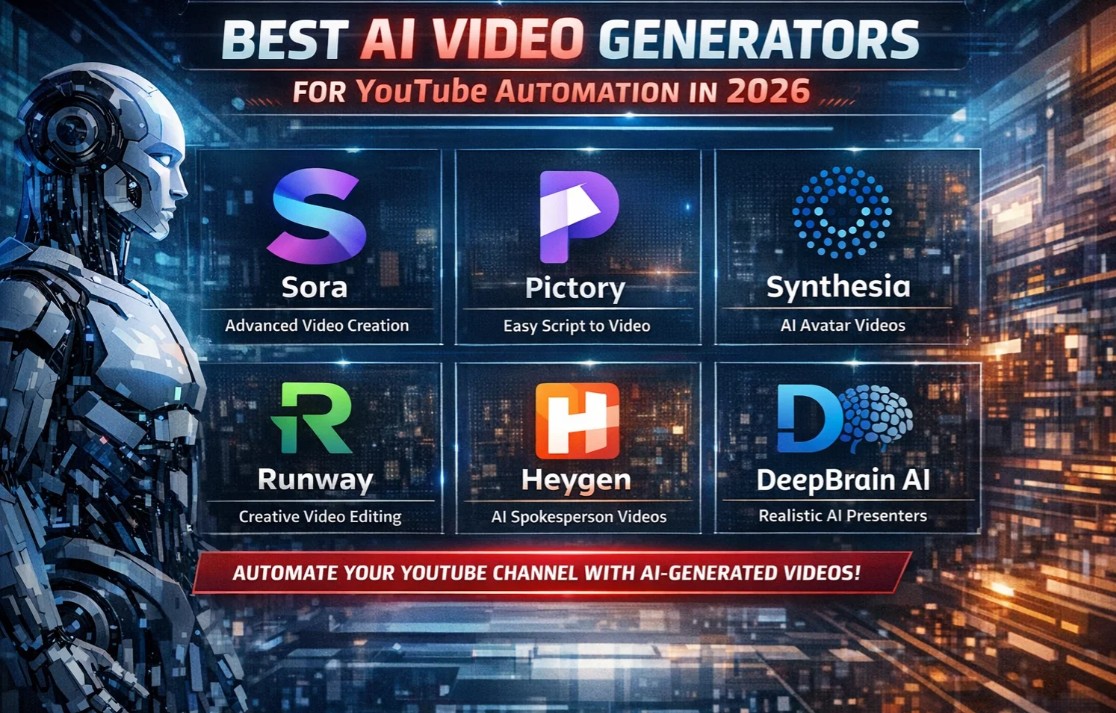
Discover the top AI video generators for YouTube automation in 2026. From faceless channels to Shorts, find the perfect tool to scale your content creation.
Imagine publishing high-quality YouTube videos every single day without ever picking up a camera, hiring a voice actor, or spending hours in the editing suite. By 2026, this isn’t a futuristic fantasy—it’s the new reality for thousands of successful creators. The rise of “faceless” channels and automated content workflows has democratized video production, allowing bloggers, entrepreneurs, and marketers to scale their YouTube presence like never before .
The secret weapon? Advanced AI video generators that handle everything from scriptwriting and voiceovers to visual generation and publishing optimization. These tools are no longer simple novelty apps; they are sophisticated production engines that can turn a blog post into a fully realized video, dub your content into 70+ languages, or extract viral-worthy Shorts from a long-form recording in minutes .
However, with the explosion of AI tools in 2026, the challenge has shifted from finding an AI tool to choosing the right one for your specific automation goals. Whether you run a true-crime storytelling channel, a product review empire, or a educational content hub, this guide will walk you through the best AI video generators for YouTube automation currently dominating the market.
The Evolution of YouTube Automation
In 2026, YouTube automation means something very specific: the ability to produce and publish content with minimal manual intervention, often at scale. This is powered by multi-modal AI that understands text, image, video, and audio in context .
From Assistance to Orchestration
Early AI tools helped with individual tasks—auto-generating captions or suggesting edits. Today’s platforms, like Adobe Firefly with its “Quick Cut” feature, can ingest raw footage and assemble a structured first draft based on a simple description of the video’s topic . Others, like Videoinu’s YouTube Copilot, now guide creators through the post-production phase, offering data-backed suggestions for titles, descriptions, and publishing schedules to maximize reach .
The Rise of the Faceless Channel
A significant portion of YouTube automation is driven by “faceless” channels—accounts that generate revenue without showing a host’s face. These channels rely entirely on AI for scripting, voiceovers (TTS and voice cloning), and visual assets. Platforms like NexLev have emerged specifically to serve this market, offering niche discovery tools that analyze hundreds of thousands of channels to identify profitable content gaps before they become saturated .
Top AI Video Generators for YouTube Automation in 2026
After extensive analysis of the current landscape, we have curated a list of the most powerful platforms based on output quality, automation depth, and workflow compatibility.
1. Vozo: The Multilingual Automation Engine
Overview: Vozo has positioned itself as the editor’s pick for creators with global ambitions. It is designed to turn one video into a multilingual content engine, saving massive time on distribution .
Key Features: Its standout feature is LipREAL™ lip-sync technology, which keeps mouth movements natural on translated talking-head content—crucial for maintaining audience trust. It supports AI dubbing in 73 languages and includes a “Long to Shorts” repurposing tool.
Benefits for Automation: For faceless channels or international creators, Vozo automates the localization process entirely. One upload can generate ten language versions and a Shorts cut in a single session.
Best Use Case: Creators targeting global audiences or running faceless channels where voice and language reach are the primary growth constraints.
2. Runway ML: The Visual Effects Powerhouse
Overview: Runway remains the gold standard for cinematic, high-end generative visuals. It’s not just a generator; it’s a suite of Hollywood-level special effects tools .
Key Features: The latest Runway Aleph model allows for realistic scene changes, object replacement, and even generating alternate camera angles of existing footage.
Benefits for Automation: While it requires some creative input, its batch processing and “Magic Tools” automate what used to be hours of manual masking and compositing.
Best Use Case: Channels that depend on visual innovation, stylized B-roll, or complex transitions.
3. InVideo AI: The Speed-First Content Engine
Overview: InVideo AI is built for one thing: turning text into video at unprecedented speed. It is the go-to for high-volume explainers, marketing content, and repurposing blog articles .
Key Features: It features a massive stock library and AI that structures your script into a scene-by-scene video automatically. The platform excels at creating multiple aspect ratios for different social platforms from the same project.
Benefits for Automation: It drastically reduces the time from idea to publish. You can feed it a blog post URL and have a draft video ready in minutes.
Best Use Case: Creators and marketers needing to produce a high volume of topical, visually consistent content quickly.
4. HeyGen: The AI Avatar Specialist
Overview: HeyGen (formerly a leader in avatar tech) is widely regarded as offering the most realistic AI avatars and voices available in 2026 . It allows you to create a digital clone of yourself or use studio-quality avatars.
Key Features: It supports full video creation from text, images, or audio, and offers translation into 175+ languages with natural lip-sync. Team collaboration and brand kits make it scalable for agencies.
Benefits for Automation: Once you create an avatar, producing “presenter-led” content becomes as simple as typing a script. No filming, no lighting, no retakes.
Best Use Case: Educational content, corporate communications, and channels requiring a consistent on-camera host without the filming overhead.
5. CapCut: The Comprehensive Creator Suite
Overview: CapCut has evolved into the ultimate all-in-one solution for YouTube creators, particularly those heavily invested in the Shorts format. It offers a seamless workflow from AI concept to final export .
Key Features: It features AI-assisted script writing, an intelligent AI video generator, and specialized templates optimized for YouTube Shorts (vertical format, sound-on viewing, hook creation).
Benefits for Automation: Its strength lies in unifying the workflow. You can generate, edit, and publish without leaving the ecosystem.
Best Use Case: Creators seeking a single hub for all video needs, especially those evaluating which tool is best for both long-form and short-form content.
6. Filmora 14: The Professional’s Hybrid
Overview: Filmora 14 blends the best of traditional video editing software (timeline editor, transitions, color grading) with cutting-edge AI generation .
Key Features: It offers text-to-video, AI music generation, voice cloning, and an “auto clips” feature that turns long videos into short clips for Reels, TikToks, and Shorts.
Benefits for Automation: It gives you granular control when you need it, but automates the grunt work. It’s like having a full post-production studio in your computer.
Best Use Case: YouTubers who want professional-grade editing power with AI assistance to speed up repetitive tasks.
7. Google Vids: The Workspace Integrator
Overview: Integrated into Google Workspace, Google Vids provides access to Google’s flagship Veo 2 and Veo 3 models. It’s a convenient, affordable option for users already in the Google ecosystem .
Key Features: Veo 2 excels at enhancing existing footage, while Veo 3 generates realistic B-roll from text prompts.
Benefits for Automation: Its seamless integration means you can generate video assets directly within your existing document workflow.
Best Use Case: Teams and creators who rely heavily on Google Workspace and need occasional, high-quality AI video support.
8. Sora: The ChatGPT User’s Choice
Overview: OpenAI’s Sora, included with paid ChatGPT plans, offers immense value. It excels at modifying and extending existing video .
Key Features: You can replace elements, seamlessly extend footage, and combine two videos. The Pro plan allows for 1080p videos up to 20 seconds long.
Benefits for Automation: For ChatGPT power users, it’s a no-brainer. The integration means your brainstorming and video creation happen in a similar environment.
Best Use Case: Creators who are already deep in the OpenAI ecosystem and need unlimited 720p video generation.
9. Pictory: The Repurposing Expert
Overview: Pictory specializes in turning long-form content into short, shareable clips. It automates the process of identifying highlights and summarizing content .
Key Features: AI analyzes long videos (webinars, podcasts, lectures) to find key quotes and moments, then assembles them into concise videos with auto-captions.
Benefits for Automation: It maximizes the ROI of every piece of content you create, allowing you to feed your short-form channels effortlessly.
Best Use Case: Creators with libraries of long-form content who want to systematically repurpose them for YouTube Shorts and other social platforms.
10. Adobe Firefly (with Quick Cut): The Industry Standard Evolves
Overview: Adobe has integrated powerful AI into Firefly, with the standout feature “Quick Cut” designed to solve the “blank timeline” problem .
Key Features: By describing your video (e.g., “product review”), Firefly assembles a structured first edit from your raw footage or generated clips. It offers control over pacing, duration, and aspect ratio.
Benefits for Automation: It saves hours of sorting and stitching clips, freeing you to focus on storytelling and refinement.
Best Use Case: Product reviewers, reporters, and podcasters who need to quickly assemble first drafts from hours of raw footage.
Summary Table: Best AI Video Generators for YouTube Automation
| Tool | Best For | Key Automation Feature (2026) | Pricing Model |
|---|---|---|---|
| Vozo | Multilingual & Faceless Channels | AI dubbing in 73 languages, LipREAL™ sync | Free trial / Paid |
| Runway ML | Cinematic VFX | Generative effects, background removal | Free trial / $15-$95/mo |
| InVideo AI | High-Volume Text-to-Video | Script-to-scene automation | Free / $28-$100/mo |
| HeyGen | AI Avatars | Realistic avatars, 175+ languages | Free / From $29/mo |
| CapCut | All-in-One Suite | AI Shorts optimization, smart editing | Free / Up to $50/mo |
| Filmora 14 | Professional Hybrid | Auto-clips for Shorts, AI music | From $79.99/year |
| Google Vids | Google Workspace Users | Veo 2/3 integration, timeline editor | Included in Workspace |
| Sora | ChatGPT Users | Video extension & combination | Included in ChatGPT ($20/mo) |
| Pictory | Content Repurposing | Long-form to short-form automation | From $19-$99/mo |
| Adobe Firefly | Professional Editing | Quick Cut auto-assembly | Part of Firefly plans |
Specialized Automation: Niche Discovery and Workflow
Beyond generation, true YouTube automation in 2026 includes finding the right ideas and managing the workflow.
NexLev: The Faceless Channel Architect
For those serious about building faceless channels, NexLev provides a specialized Chrome extension and Niche Finder. It analyzes hundreds of thousands of channels to identify “exploding niches” and profitable content gaps. It also includes a comprehensive course on building and scaling channels with outsourced teams .
OpenClaw: The Automated Research Assistant
OpenClaw offers a different angle: automating the pre-production workflow. It can monitor trends across Reddit, Hacker News, and Twitter, alerting you to topics before they peak. It then helps research the topic and even draft a script, reportedly saving creators 10-15 hours per week .
YouTube’s Native AI Tools
It would be a mistake to ignore the platform’s own offerings. YouTube has been aggressively rolling out AI features directly into YouTube Studio and Shorts . These include:
- Dream Screen: Generate AI backgrounds for Shorts.
- AI Insights for Ideas: Personalized video ideas based on what your audience is already watching.
- Aloud Dubbing: An official tool from YouTube to help creators dub content into other languages.
Using these native tools ensures maximum compatibility with the platform and often provides a frictionless path to publication .
How to Choose the Right Tool for Your Automation Goals
With so many options, the key is to identify your primary bottleneck.
- Is your bottleneck time? If you spend hours editing interviews, tools like Gling (auto filler removal) or Adobe Quick Cut will save you the most time .
- Is your bottleneck ideas? If you struggle to find winning topics, look at NexLev or OpenClaw for trend monitoring and niche discovery .
- Is your bottleneck scale? If you need to publish in multiple languages or repurpose content across platforms, Vozo or InVideo AI are your best bets .
- Is your bottleneck talent? If you don’t want to be on camera, HeyGen or other avatar tools can generate a presenter for you .
Frequently Asked Questions (FAQ)
1. What is a “faceless” YouTube channel, and how does AI help?
A faceless channel publishes videos without showing a human host. AI helps by generating scripts, providing realistic text-to-speech voiceovers, creating visuals or B-roll from text, and even managing SEO. This allows creators to build channels in niches like true crime, history, or top-10 lists without ever appearing on camera .
2. Can AI really create a complete video from just a blog post?
Yes. Tools like InVideo AI and Pictory are specifically designed for this. You can input a blog post URL or an article, and the AI will analyze the text, extract key points, match them with relevant stock footage or generated visuals, and add a voiceover to create a complete video draft .
3. Are AI-generated videos demonetized by YouTube?
No, not if they provide value. YouTube’s monetization policies focus on originality and value, not the tools used to create content. However, “low-effort” or “slop” content that is clearly just auto-generated for views can face issues. The key is to use AI as a tool to augment your creativity, not replace it, and to add human oversight and editing.
4. What are the best AI tools for creating YouTube Shorts?
CapCut is widely regarded as a top choice due to its specialized templates and AI optimization for Shorts. Vozo and Filmora 14 also have excellent “Long to Shorts” features that automatically identify the best moments from long videos and format them vertically for Shorts .
5. How much does YouTube automation cost?
Costs vary widely. You can start with free tiers of tools like CapCut or InVideo AI (though they may have watermarks). Professional automation stacks range from $20 to $100+ per month per tool. Many creators use a combination: a scriptwriter (like Jasper), a video generator (like InVideo), and an SEO tool (like TubeBuddy) to build a complete, scalable workflow .
The landscape of YouTube creation has been permanently altered by AI. In 2026, the barriers to entry have never been lower, but the standards for quality and consistency have never been higher. The winners are those who strategically deploy AI not as a crutch, but as a catalyst—automating the tedious, scaling the impossible, and freeing up human creativity for what it does best: telling stories that connect.
Whether you’re looking to launch your first faceless channel or scale an existing media empire, the tools listed above represent the cutting edge of what’s possible. The best approach is to start small: identify your single biggest time sink, pick the tool that solves it, and build your automated workflow from there.
Ready to automate your YouTube channel? Pick one tool from this list that addresses your biggest bottleneck and commit to publishing your first AI-assisted video this week. The future of content creation is here—and it’s automated.





One thought on “Best AI Video Generators for YouTube Automation (2026 Guide)”